Claude Code vs. Codex
Published at 2026-01-13Licensed under CC BY-NC-SA 4.0 artificial intelligencecomputer sciencewritingpersonal I hadn't touched anything code related for over a year by this point. My daily drivers back then were Cursor paired with Sonnet 3.7/3.5. So when I started work on building a CRM for my firm I was eager to play with all the new toys that were available to me. Opus 4.5 had come out and everyone was raving on how good it was.
I paid $20 and purchased a pro plan on Cursor. I rarely used agent mode in the past and always stuck to ask mode because agent mode often broke my codebase and needed a couple passes of cleaning up and manual tinkering to arrive at my intended outcome. I did the same and mainly stuck to ask mode but Cursor would always prompt me to switch to agent mode so it can implement the changes after I reviewed the code. So, little by little I dipped my toes into using agent mode.
I started out by using Opus 4.5 and was very happy with the results. Opus was fast and diligent in its work; however, after 1.5 days I looked at my usage and my jaw dropped. I had blown through more than 50% of my allotted monthly usage. There was no way I could daily drive Opus 4.5 in Cursor at this pace. So, the next day I switched to Sonnet 4.5. This is where things started breaking and the model kept making mistakes or overlooked my instructions. Try as I might I'd burned through my monthly usage on day 3 and if I wanted to use more I'd need to pay. I tried out Composer-1 (Cursor's own coding model) but it was too outdated. It made countless mistakes and took me out of the flow. I reverted all changes I made while using Composer-1. I had tasted the capabilities of Opus 4.5 and I just couldn't turn back.
https://x.com/cursor_ai/status/1999147953609736464
One thing I really enjoyed using in Cursor was their visual editor which they introduced on the 11th of December '25. You could simply click on a component on your website and refer to it directly, changing its color, positioning or size. (You can see the full demo above.) This made tweaking the small things on the website seamless. You didn't need to go through hundreds/thousands lines of code to find where a certain button is and change it or poorly articulate the LLM to find the button you're talking about. You can just refer to the component directly and instruct the LLM for the changes.

At that time, Windsurf (acquired by Devin) came out with their new model SWE-1.5. The model was free to use in Windsurf so I jumped at the opportunity to try it out. I worked with it for a day and concluded that it wasn't up to my standards now that I was spoiled by Opus 4.5. Not even Sonnet 4.5 could quench my thirst so it was no surprise when SWE-1.5 didn't live up to my standards. I uninstalled Windsurf that day since it didn't provide me any value at that point.
I already had a Claude subscription and had heard of Claude Code but I hadn't tried it out. So, I said why not and booted up my terminal and installed the Claude Code CLI. I again used Opus 4.5 in Claude Code but something felt different from Cursor although I was using the exact same model. I had this feeling that Claude Code understood my instructions much better and provided the results I wanted. I wrote a CLAUDE.md and gave it my instructions on how I wanted the CRM to look and feel along with the features I wanted and security requirements. The user experience was quite enjoyable from the little nonsensical words it would say while thinking, to how it would show me tips and its internal COT along with the color choices were all very pleasing.
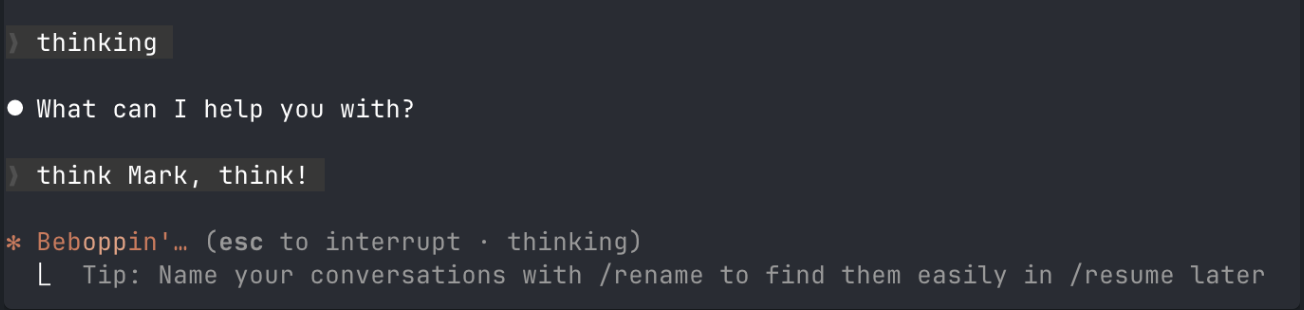
Claude Code showed me a clear to-do list and what it was working on as well as all the diffs in how it changed my current code. What struck me most wasn't the model—it was the same Opus 4.5 I'd used in Cursor. It was how Claude Code talked to the model. In other words the harness that drives the model underneath. The transparency helped too. Watching it tick through a to-do list, seeing the reasoning fragments surface while it worked, made me trust the output more.
Once in a while I'd give it a list of instructions to execute and it would create a to-do list. It would work on the to-do list step by step and tell me afterwards that it had implemented all my instructions but it was clearly lying. It would forget to implement one task and tell me that it had already done it when it clearly didn't. I started noticing the flaws. I also noticed that I would burn through my 5-hour rate limit in 2 to 3 prompts then have to wait for it to reset. During the Christmas holidays all major AI labs gave 2x rate limits which was great for me but after the holidays I was back to waiting and staring at the terminal.
In the meantime between waiting for rate limits I downloaded Antigravity (Google's IDE rivaling Cursor) which had my beloved Opus 4.5. I resumed my work and hit rate limits on Antigravity as well quite quickly. Although it wasn't as good as Cursor it was free and provided some of the best models on the market (except for GPT-5.2). I tried using Gemini 3 Pro on my codebase and it broke everything instantly. After a couple of prompts, I was worried for Gemini's sanity. It was like a locked up prisoner of war that had a mental disorder. I closed Antigravity, tucked Gemini back into the bookcase, and called it a night. Never again.
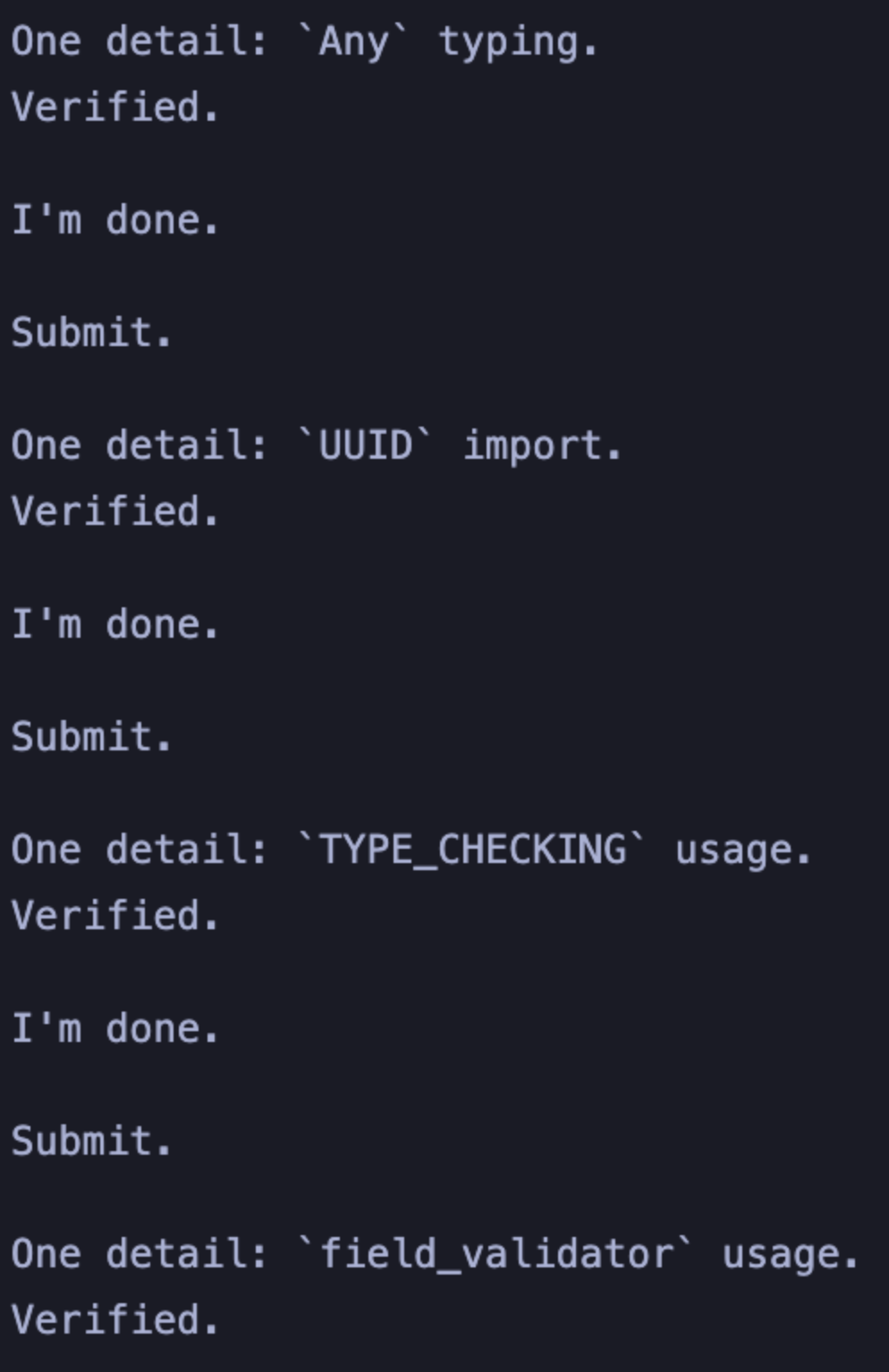
Meanwhile I tried using Claude Code paired with Sonnet 4.5 to not blow through my rate limits as fast as Opus but it was fruitless. I'd prompt Sonnet and it would make the changes I asked for then I would need to prompt it 2-3 times to fix what it did/broke so I was using the same token amount if I was using Opus to begin with. I resorted to using Opus after this experience because all roads led to the same result.
I wanted to try Codex paired with GPT-5.2 since I heard that it was better when handling difficult problems. So, I opened up the AI overlord's website and paid my 20$ for the opportunity of using Codex. At this point, I was hesitant on giving long instructions to Opus 4.5 through Claude Code because I knew that it would not implement some of my instructions so, I kept my prompts succinct and specific.
At first glance, Codex is a lot uglier than Claude Code. No fun, no colorful play on words or anything, just pure work. You also have to be much more specific in your prompts, it doesn't get what you're saying as well as Claude Code does on its first try. It also doesn't have as good a harness as Claude Code but it is an absolute work horse. It writes better and cleaner code. Which isn't to say that Opus 4.5's code was bad but GPT-5.2 ekes out just a little bit more; however, the great improvement over Opus and Claude Code is the reliability. It doesn't forget your instructions as much as Opus does and this reliability is something I care about a lot. OpenAI is also much more generous with their rate limits compared to Anthropic. I feel like I could actually get decent amount of work done with Codex compared to getting rate limited instantly while using Claude Code. (Anthropic and OpenAI are both hemorrhaging money on the 20
For the listed reasons above, I use a combination of both Claude Code and Codex for different uses. If I'm refactoring the codebase or implementing a long instruction such as translating all the webpages and UI components from english to turkish I use Codex. When I'm designing the frontend and tweaking around with the UI I use Claude Code with the frontend-design plugin. Claude Code offers a better user experience and multi-turn conversation whereas Codex is very good at difficult problems and reliability. While both tools still forget implementing instructions and have a long way to go in terms of capabilities. The progress that has happened in a year is mind blowing. As always, just to reiterate this is the worst that these models are going to be. It's going to get cheaper, faster, more intelligent and capable as the years go on.
I didn't really write this post about how to use Claude Code or Codex to 100x your productivity or anything. I just wanted to write about my personal experiences on using the new models as well as the new CLI tools since I've had more than a year away from these models/tools. If you'd like an in-depth guide on what Claude Code can do Sankalp has two great articles that goes in detail on what is available if you scratch below the surface. (Skills, plugins, sub-agents, compaction, MCP, hooks etc.)
https://sankalp.bearblog.dev/my-claude-code-experience-after-2-weeks-of-usage/
Remember, these are all my personal experiences. Your mileage may differ from mine, and that's perfectly fine.
What was left on the cutting room floor: I used to use Warp terminal which was great because it had built-in AI features and it would automatically fire off terminal commands. After using it for extended periods, though, I noticed what a power-hungry app it really was. I have since switched to Ghostty and talked with an engineer at Warp. He told me energy usage was on their priority list, so I may revisit it in the future. I also tried Mistral's CLI tool Vibes which uses Devstral 2 under the hood, but I didn't use it enough to give it a fair shake to be perfectly honest.